
Nothing on these screens approves anything. Every save is a request. This is the part customers
are most often surprised by: a registration you have just created and can see in the list is not yet
usable.
The four states
The middle column is what
/secure/senders and
/secure/templates return, so the two surfaces describe the same four
states rather than eight. Only APPROVED is usable — the other three all mean a message will be
refused, for different reasons.
Each row also says which product it applies to, and which login — either a named one or all your
logins.
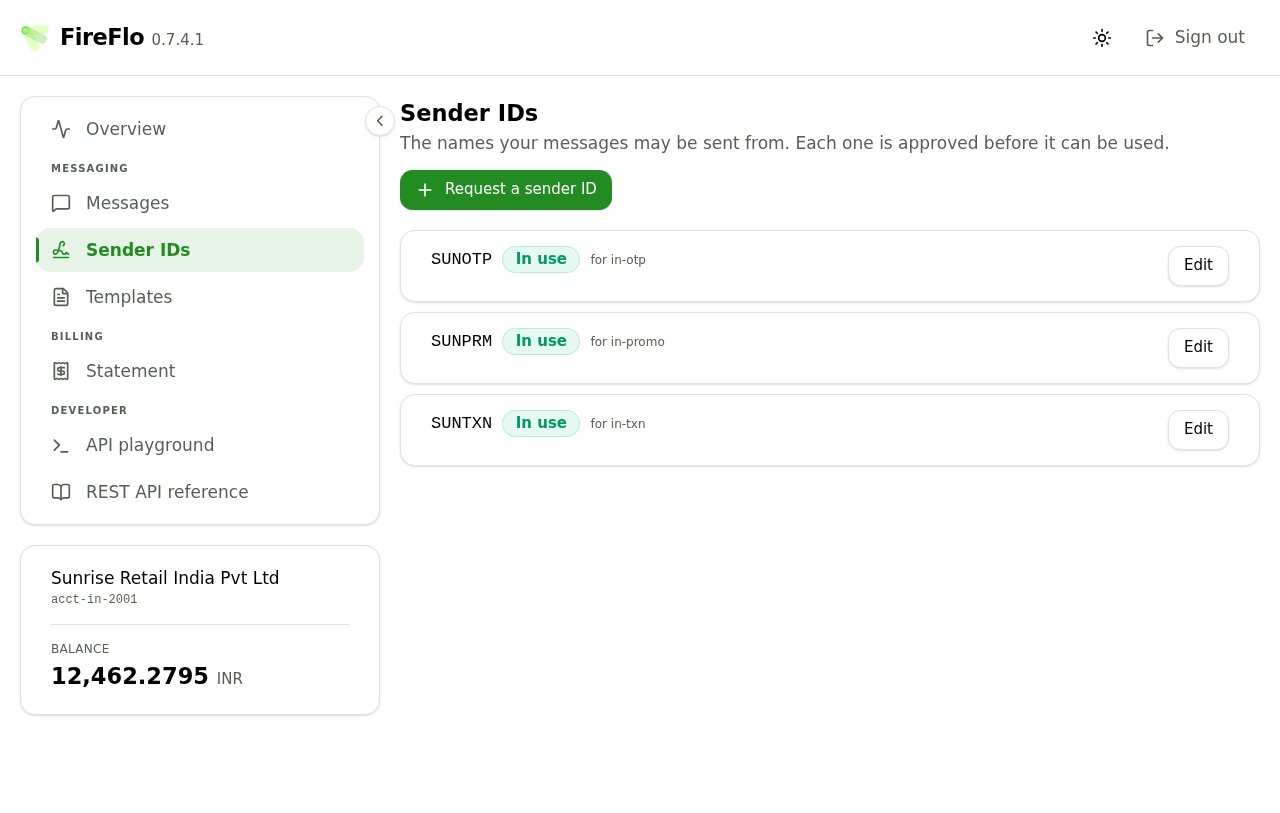
Sender IDs, all approved and in use. The product each is scoped to is beside it — a sender approved for one product is not approved for another.
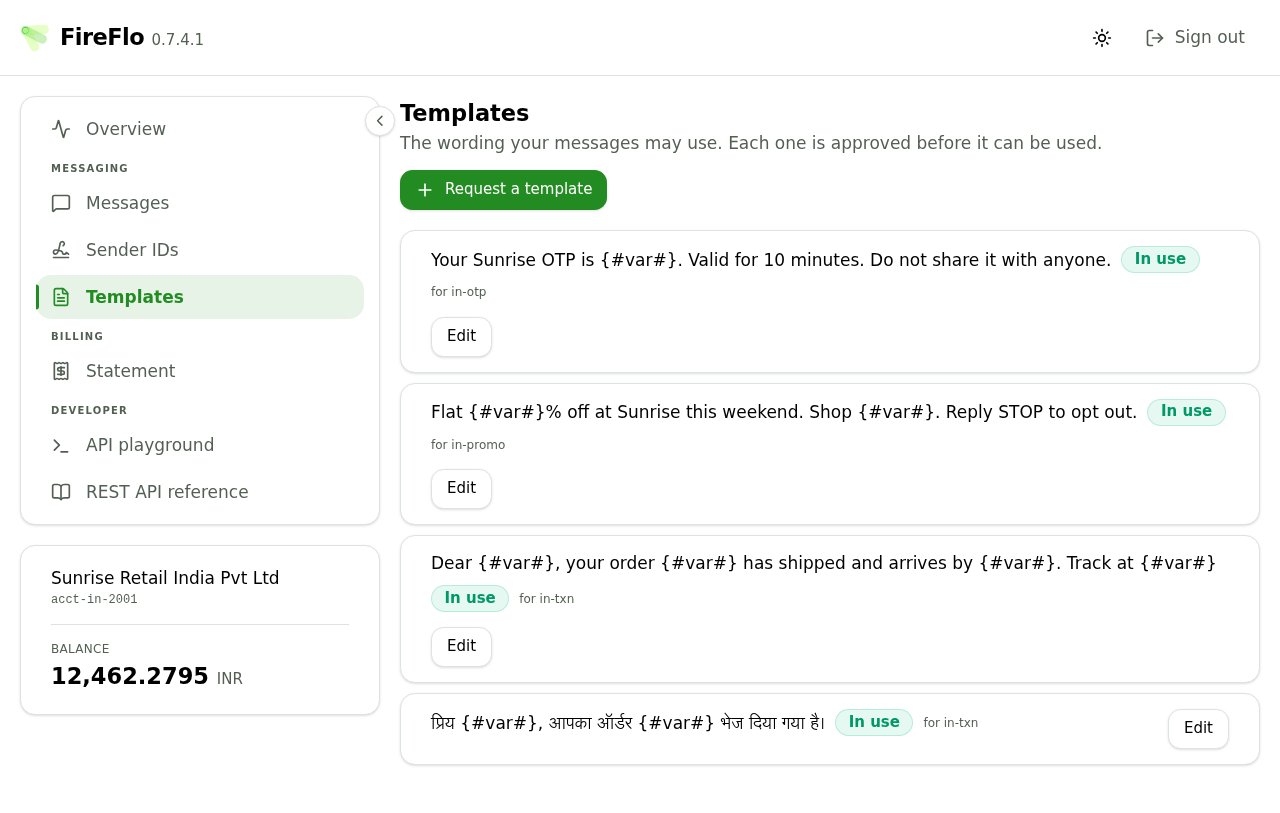
Templates, including one in Hindi. The {#var#} gaps are what may change; everything around them is matched exactly.
Requesting a sender ID
One field. The refusals are worth knowing before you hit them:- A sender ID is at most 64 characters, but SMPP allows 21 — anything near the upper bound could be stored here and never delivered.
- Leading or trailing spaces are refused outright. A sender ID is compared exactly, and a trailing space is invisible in every place it is displayed.
- It must be printable ASCII.
Requesting a template
A name, for you and your provider to recognise it, matched against nothing. Then the wording, which is matched — exactly, apart from the gaps you mark.
Put {#var#} where the message changes — a name, a code, an order number. Everything else has to
match exactly.
Three placeholders exist:
A live preview shows an example message your template would accept, which is the fastest way to catch
a template that is narrower or wider than you meant.
Where templates go wrong
The form refuses each of these with a sentence rather than a code: A token spelled wrong.{#VAR#} or {#Var#} is not a placeholder. Write the token lower case
with no spaces inside it — that is the spelling, not a statement about what it accepts.
Something that looks like a placeholder and is not, such as {#VAR} or {{#var#}}. The
characters around a real placeholder are matched literally, so this would only ever approve a message
carrying them exactly as written.
Two placeholders touching. Two variables with nothing between them cannot be told apart, so they
act as one variable of twice the length. Put the wording that separates them in between.
A template of nothing but a placeholder, which accepts every message — the same as having no
template at all.
You may also get a warning rather than a refusal, where the wording repeats itself around the
changing part. That can make a template match less than you expect, and is worth checking with your
provider.
Stamps
Under Stamps to ask for you can propose the values your provider attaches to every message on this registration — under DLT, your entity and template identifiers.Asking is free: nothing here reaches a message until your operator accepts it, so an approved registration keeps working meanwhile.If you have already asked and had no answer, saving replaces what your provider will see rather than queueing a second request.
Which login
Where your account has more than one API login, you can bind a registration to one of them.Editing something that is in use
Changing the wording, the sender ID, the name, the note or the login on a live registration sends it back for approval, and the save button asks you to confirm:This stops being usable until an operator approves the change.If it is your only registration in use, it says so, because the consequence is larger:
This stops being usable until an operator approves the change — and it is your only one in use, so nothing will be accepted from this account until then.Changing only the proposed stamps suspends nothing and saves without confirmation, since those do not take effect until accepted anyway. If you need altered wording live before the old wording can go, request the new one as a separate template and let your provider withdraw the old one afterwards.
Doing this from your own code
Everything on these two screens is also on the REST API, so a customer with many registrations does not have to work through the portal one at a time:/secure/senders
List, request, change and withdraw sender IDs.
/secure/templates
The same four calls for wording.
Available from gateway 0.9.7. If those endpoints answer
404, your provider is running an
older gateway and these screens are the way to ask.